Android Car Screen Fix Made Simple

Android car screen fix guide: reboot, firmware update, and remote repair to restore your system and improve driving experience.

Android Car Screen Fix: Simple Step-by-Step Guide

If your car’s touchscreen is not working well, this Android car screen fix guide will help you troubleshoot and repair it effectively. Common issues include unresponsive screens, flickering displays, crashes, or complete failure. By following the steps below, you can diagnose problems, perform basic repairs, and know when to seek professional help or remote repair services. Apple users interested in CarPlay can visit the CarPlay (Apple) Official Website for additional support and information.

Common Android Car Screen Fix Problems

  • Screen won’t turn on: This may result from power issues, blown fuses, or damaged components.
  • Touchscreen doesn’t respond: Possible software glitches or hardware faults affecting touch sensitivity.
  • Screen flickers: Often due to loose cables, damaged screen, or interference.
  • System freezes: Usually caused by software bugs or insufficient system resources.

Basic Android Car Screen Fix Solutions

  • Restart: The First Step in Android Car Screen Fix — Hold the power button for 10–15 seconds to perform a reboot, which often resolves temporary glitches. Android car screen fix reboot example
  • Power and Cable Checks for Android Car Screen Fix — Verify the car battery is functioning and that fuses are intact. Open the dashboard carefully to ensure all internal cables are securely connected and undamaged.

Software Android Car Screen Fix Methods

  • Clear cache and app data: Navigate to settings and clear caches for relevant apps and the system.
  • Factory reset: Back up your data and perform a factory reset to remove corrupt files or misconfigurations.
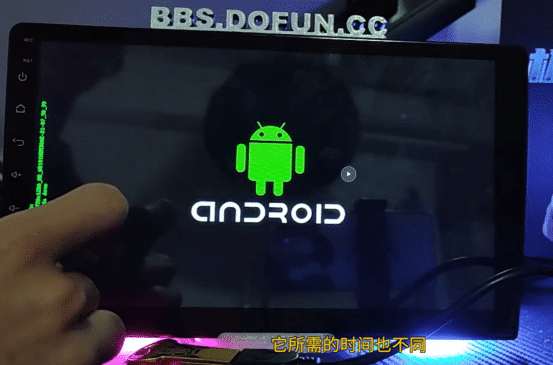
  • Firmware update: Download and install the official firmware update file to fix bugs and improve performance. Firmware update for Android car screen fix

Advanced Android Car Screen Fix Options

  • Remote Repair: Advanced Android Car Screen Fix Approach — If software solutions fail, try remote repair. FixMyDash offers USB-based repair packages that you can apply at home or with technician guidance. Visit their official website for details.
  • Replace damaged hardware if needed.

Prevention Tips for Android Car Screen Fix

  • Keep firmware updated.
  • Avoid unknown apps.
  • Protect the touchscreen from heat and physical shocks.

FAQs About Android Car Screen Fix

How to distinguish hardware vs. software issues?
Unresponsive touch or flickering often indicate hardware problems; system freezes usually relate to software.
Can I update firmware myself?
Yes, but carefully follow official instructions and use correct files.

Conclusion: Effective Android Car Screen Fix

Follow these step-by-step solutions to fix your Android car screen. For complex problems, FixMyDash provides remote repair options that save time and costs. For more info, visit the carMP5 official website and subscribe to the YouTube - FixMyDash Channel.
Жабу
$5.0 Сарапшы диагнозы
Сіздің автокөлігіңіздің Android экранына арналған жедел көмек
Сарапшы диагнозы
  • 1-ге 1 кәсіби талдау
  • 24 сағат ішінде жылдам жауап
  • 100% жаңарту немесе жөндеу кезінде ақшаны қайтару
$5.0-ді қазір төлеңіз және диагностиканы бастаңыз
Қайтарылмайды, бірақ толық жөндеу ақысы $5.0-ге шегеріледі.

Пікір қалдырыңыз

Сауда себеті